
Choosing between Shopify and WordPress is less about finding the platform with the longest feature list and more about deciding how much control, convenience, technical responsibility, and flexibility your business actually needs.
Shopify gives you a hosted eCommerce system where much of the infrastructure is managed for you. WordPress with WooCommerce gives you considerably more control over the website and store, but that control comes with more decisions to make.
This Shopify vs WordPress comparison breaks down those tradeoffs so you can choose based on how your store needs to operate, not simply which platform is more popular.
Key Takeaways
- Shopify is usually the simpler option when you want hosting, core commerce features, and much of the technical infrastructure managed within one platform.
- WordPress with WooCommerce gives businesses more control over content, design, integrations, hosting, and the underlying website.
- WooCommerce is not a separate website builder. It is an eCommerce platform built on WordPress.
- Shopify costs are generally easier to anticipate at the platform level, while WooCommerce costs depend more heavily on hosting, development, extensions, and maintenance choices.
- WordPress can be particularly useful when content, SEO, custom functionality, or complex website architecture is as important as the store itself.
- The better platform depends on your business model, internal resources, technical requirements, marketing plans, and appetite for ongoing website management.
Shopify vs WordPress at a Glance
Before comparing individual features, it helps to understand that Shopify and WordPress approach eCommerce from different directions.
Shopify is primarily a hosted commerce platform. You subscribe to a plan, manage your store through Shopify, select or customize a theme, install apps where needed, and use the platform’s infrastructure to handle much of the technical foundation.
WordPress is a general-purpose content management system. To turn it into an online store, businesses commonly add WooCommerce. According to the official WooCommerce documentation, WooCommerce is a customizable, open-source eCommerce platform built on WordPress.
That difference affects almost every other comparison.
| Area | Shopify | WordPress + WooCommerce |
| Hosting | Included as part of the hosted platform | Selected and managed separately |
| eCommerce functionality | Built into the platform | Added through WooCommerce |
| Setup complexity | Generally lower | More technical decisions required |
| Design flexibility | Theme and platform based | Highly flexible through themes, builders, and custom development |
| Content management | Good for standard store content | Particularly flexible for content-heavy sites |
| Extensions | Shopify apps | WordPress plugins and WooCommerce extensions |
| Maintenance | Much of the platform infrastructure is managed | Site owner or provider manages WordPress, themes, plugins, hosting, and testing |
| Code control | More platform restrictions | Greater access and control |
| Cost structure | Subscription plus apps and relevant fees | Hosting, development, extensions, maintenance, and other selected services |
| Best suited to | Businesses prioritizing convenience and commerce operations | Businesses prioritizing control, content, customization, and ownership |
Neither approach is automatically better.
A merchant selling a focused catalogue of products and wanting to minimize technical involvement may find Shopify much easier to operate. A business building a large content library, complex product experience, resource centre, custom integration, and store under one website may benefit from WordPress and WooCommerce.
The important part is understanding which tradeoffs matter to your particular store.
How Shopify and WooCommerce Actually Work
The WordPress vs Shopify decision becomes clearer when you look beyond the storefront and consider what the business has to manage behind it.
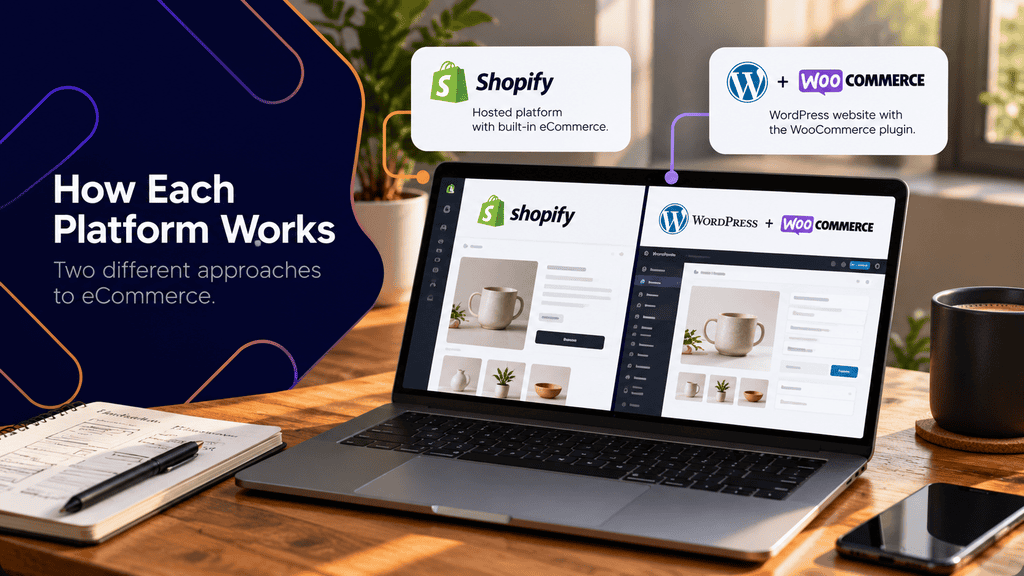
Shopify: a managed commerce ecosystem
Shopify packages many pieces of an online store into a single service. Depending on the plan and configuration, merchants can manage products, customers, orders, themes, payments, and other commerce functions through the Shopify administration area.
Shopify offers several subscription levels, with different features and rates depending on the plan. Its official pricing plan documentation is the best place to confirm current options because pricing and plan inclusions can change.
For a small team without an internal web developer, this model has an obvious advantage: there are fewer infrastructure decisions.
You do not separately choose a conventional WordPress host, install the CMS, configure WooCommerce, or take responsibility for updating the core commerce platform in the same way.
You still have work to do. Themes need configuration. Apps need evaluation. Product structures need planning. Analytics, search visibility, navigation, merchandising, content, and conversion paths all require attention.
The difference is that Shopify abstracts more of the technical foundation away from the merchant.
WordPress and WooCommerce: a website plus a commerce layer
WooCommerce works differently.
WordPress provides the website and content management system. WooCommerce adds products, carts, checkout functionality, orders, payments, and other commerce capabilities.
Because WooCommerce is open source and extensible, businesses can customize substantially more of the underlying system. Developers can work with existing extensions or build custom functionality when an off-the-shelf solution does not meet the requirement.
A typical WooCommerce store may involve:
- WordPress
- WooCommerce
- A theme or custom design system
- Hosting
- A page builder or custom templates
- Payment integrations
- Shipping functionality
- Marketing integrations
- SEO configuration
- Caching
- Security tools
- Backups
- Third-party plugins or WooCommerce extensions
Each component should be evaluated as part of the whole website.
For businesses exploring this route, Clio Websites’ WordPress development services provide additional context around custom WordPress websites, WooCommerce stores, and more complex integrations.
More control also means more responsibility
This is one of the biggest differences between Shopify vs WooCommerce.
With WordPress, you can choose your hosting provider, caching approach, plugins, theme architecture, development workflow, and many other technical components.
That is useful when the business has unusual requirements.
It also means someone needs to maintain those choices.
For example, updating a WordPress plugin is not always simply a matter of clicking “Update.” A WooCommerce store with multiple extensions may need backups, staging, compatibility checks, checkout testing, and post-update validation.
WooCommerce provides separate guidance for managing and updating extensions as part of maintaining a functioning store.
The practical question is therefore not just:
Which platform gives us more control?
It is also:
Who will be responsible for that control?
Design, Content, SEO, and Customization
For many businesses, the storefront is only one part of the website.
The site may also need buying guides, landing pages, comparison pages, educational resources, service information, customer stories, location pages, downloadable resources, or other content that supports acquisition.
This is where the architectural difference between the platforms matters.
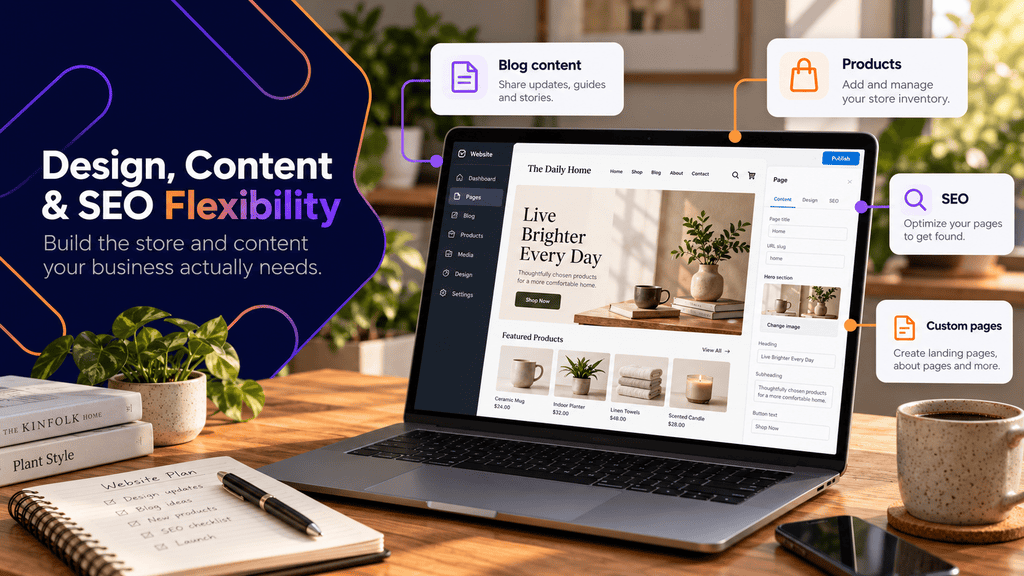
Shopify design is structured around its commerce platform
Shopify provides themes and a theme customization system that allow merchants to control the appearance and layout of their online stores. Apps can extend functionality beyond the platform’s built-in features.
For many conventional eCommerce businesses, that is enough.
A well-implemented Shopify store can support:
- Product collections
- Product detail pages
- Navigation
- Promotional content
- Editorial pages
- Blog content
- Mobile shopping
- Store search
- Standard conversion journeys
The benefit is consistency.
The limitation is that advanced requirements eventually have to work within Shopify’s architecture, themes, available APIs, apps, and plan capabilities.
That is not necessarily a problem. Constraints can prevent unnecessary complexity.
But stores with unusual content structures or application-like functionality should identify those requirements before choosing a platform.
WordPress gives content more room to become part of the store
WordPress originated as a publishing system and has developed into a highly flexible CMS.
A WooCommerce store therefore does not have to feel like a store with a blog attached to it. Commerce can sit inside a much broader content architecture.
Consider a hypothetical specialty equipment company.
Its website might contain:
- 300 products
- Detailed product categories
- Installation guides
- Compatibility documentation
- Technical resources
- Industry-specific landing pages
- Video tutorials
- Dealer information
- Case examples
- Product comparison guides
- Long-form educational content
The products matter, but so does the information surrounding them.
WordPress can be useful in this type of project because product, service, editorial, and educational content can be planned inside the same CMS and information architecture.
This becomes particularly relevant when an eCommerce project needs more than a basic storefront. Clio Websites’ broader web design and development services include WordPress, eCommerce, responsive design, SEO, and website maintenance, which illustrates how these areas often overlap in a complete website project.
Shopify vs WordPress for SEO
There is no responsible basis for saying that choosing Shopify or WordPress automatically produces better rankings.
Search performance depends on considerably more than the CMS.
Important considerations include:
- Crawlability
- Site architecture
- Internal linking
- Search intent
- Product and category content
- Duplicate URLs
- Canonicalization
- Structured data
- Page performance
- Mobile usability
- Redirects
- Metadata
- Indexation decisions
- Content quality
Platform flexibility matters because it determines how easily your team can implement the SEO changes the website requires.
WordPress gives developers extensive control over templates, content types, page structures, internal linking, metadata, and many technical components.
Shopify manages more of its technical architecture for you. That can simplify administration, although advanced SEO changes may have to work within Shopify’s platform structure.
The better SEO question is not:
Which platform ranks better?
It is:
Which platform allows us to implement the search strategy, content architecture, and technical changes our business actually needs without creating unnecessary complexity?
Businesses where organic search will play a substantial role in customer acquisition should consider SEO requirements during platform planning rather than attempting to add them after the store has already been built. Clio Websites’ SEO services provide additional context on technical and content-focused search strategies.
Custom functionality can change the decision
Simple stores are easier to compare.
Complex stores are not.
Suppose your business eventually needs:
- Product configurators
- Membership rules
- Wholesale pricing
- Customer-specific content
- Product bundles
- Subscription functionality
- ERP integration
- Custom inventory logic
- Advanced filtering
- Specialized shipping rules
- CRM connections
Both ecosystems offer ways to extend their core functionality.
Shopify relies heavily on apps, APIs, themes, and available platform functionality. WooCommerce can use extensions, standard WordPress plugins, custom plugins, APIs, and custom development.
The question should be whether the required feature can be implemented reliably and maintained over time, not simply whether you can find a plugin or app that appears to offer it.
Cost, Maintenance, Performance, and Scalability
Comparing platform costs only by looking at a monthly subscription produces an incomplete picture.
The useful number is total cost of ownership.
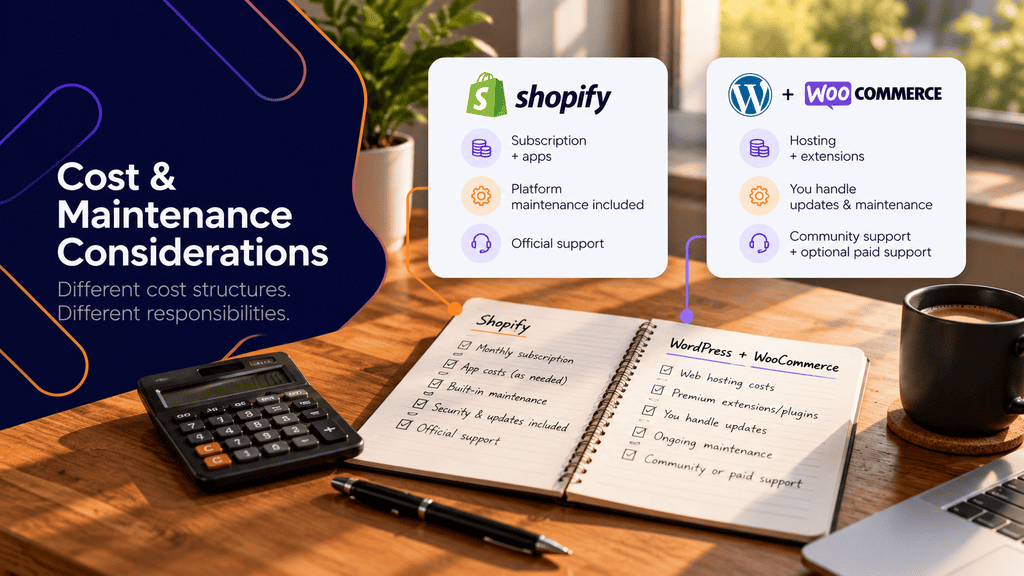
Shopify costs are more centralized
Shopify uses subscription pricing, with functionality and rates varying by plan.
Additional costs can come from themes, apps, payment processing, development, and other third-party services.
Payment setup also matters. Shopify’s documentation explains that third-party transaction fees can apply in certain payment configurations, so businesses should review their intended payment provider rather than comparing subscription prices alone.
Because Shopify pricing, payment availability, and fees can vary by market and configuration, merchants should verify current details directly with Shopify before building a financial model around the platform.
For businesses that value predictable administration, the centralized structure can still be attractive.
WooCommerce does not mean “free eCommerce”
WooCommerce’s core software is open source, but that does not make a professional WooCommerce store free to operate.
Potential expenses include:
- Web hosting
- Domain registration
- Premium extensions
- Premium themes or builders
- Custom development
- Maintenance
- Security
- Backups
- Performance tools
- Transaction processing
- Third-party services
- Development support
A simple store can have modest infrastructure requirements. A customized store with several integrations can require significant ongoing technical support.
The advantage is that you can choose where many of those expenses go.
The disadvantage is that the cost structure is less standardized.
Maintenance is where the operational difference becomes obvious
Shopify removes much of the infrastructure maintenance associated with running a self-hosted CMS.
WordPress requires someone to manage the website environment.
That generally means having a process for:
- Backing up the website.
- Reviewing WordPress, WooCommerce, plugin, and theme updates.
- Testing important updates where appropriate.
- Checking product, cart, checkout, forms, and account functionality.
- Monitoring security and website availability.
- Reviewing performance.
- Fixing plugin or theme conflicts when they occur.
A business should know who owns those tasks before launching the store.
For companies that do not want internal staff handling WordPress upkeep, ongoing website maintenance and support can shift much of that operational responsibility to a specialist.
Performance depends on implementation, not only the platform name
Shopify controls much of its hosting infrastructure, which reduces the number of hosting-level decisions merchants need to make.
With WordPress, performance can vary much more dramatically between implementations.
A lightweight WooCommerce store on suitable hosting with sensible caching, optimized images, efficient templates, and carefully selected plugins may behave very differently from a site running an overloaded page builder, dozens of unnecessary plugins, large uncompressed assets, and poorly configured hosting.
That freedom creates both opportunity and risk.
Avoid deciding based on statements such as “Shopify is always faster” or “WordPress is faster because you control the server.”
Instead, evaluate the proposed implementation.
Scalability is not simply about product count
Businesses often ask which platform scales better.
Scale can mean several different things:
- More visitors
- More orders
- More products
- More editors
- More countries
- More languages
- More integrations
- More content
- More complex product logic
- More storefronts
- More custom business rules
Shopify removes many infrastructure concerns from the merchant, which can make operational scaling attractive.
WooCommerce gives developers more control over the technology, but larger or more complicated stores require capable infrastructure and disciplined development.
The appropriate option depends on what is actually becoming more complex.
Which Platform Fits Your Online Store?
Rather than choosing based on a generic winner, use your business requirements to narrow the decision.
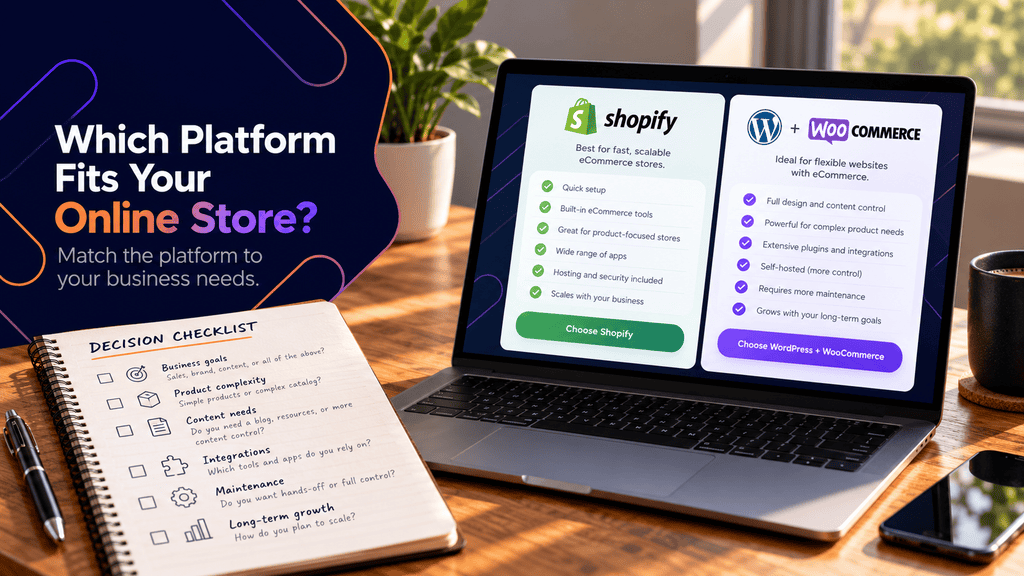
Shopify may be the stronger fit if:
- Your website is primarily an online store.
- You want to minimize hosting and infrastructure management.
- Your requirements fit Shopify’s standard capabilities and app ecosystem.
- Your internal team does not want to maintain WordPress.
- Predictable platform administration matters more than deep technical control.
- You want merchants and staff focused primarily on commerce operations.
WordPress with WooCommerce may be the stronger fit if:
- Content is a major part of your acquisition strategy.
- You need extensive control over website structure and templates.
- You already operate a WordPress website.
- Your store needs custom integrations or unusual functionality.
- You want greater control over hosting and technical architecture.
- Your site combines commerce with substantial service, resource, editorial, or marketing content.
- You have access to the technical support required to maintain it.
Use this platform selection checklist
Before choosing, document the answers to these questions.
1. What percentage of the website is commerce?
If almost every meaningful visitor journey involves browsing and purchasing products, Shopify’s commerce-first structure may suit the project well.
If commerce is one component of a much broader website, WordPress may deserve closer consideration.
2. How complicated are your products?
List variations, customization requirements, subscriptions, bundles, inventory rules, shipping requirements, and customer-specific pricing before evaluating platforms.
Do not assume a feature exists because a platform supports “products.”
3. What content will you publish?
Map the content types you expect to need over the next few years.
Include product guides, educational resources, service pages, comparison content, videos, downloads, landing pages, and location content.
4. Which systems must connect to the store?
Document your payment provider, CRM, ERP, accounting system, inventory software, email platform, fulfilment tools, analytics setup, and other business systems.
Then verify how each integration works on both platforms.
5. Who maintains the website?
Identify the person or provider responsible for updates, troubleshooting, backups, extensions, app configuration, performance, and development work.
This question can eliminate an otherwise technically suitable platform.
6. How important is custom development?
Try to distinguish actual requirements from speculative ones.
Building for ten hypothetical future features can create unnecessary complexity. At the same time, choosing a tightly constrained architecture when custom workflows are already part of the roadmap can lead to an expensive migration later.
7. What will the store cost over three years?
Include more than the platform fee.
Estimate:
- Platform subscriptions
- Hosting
- Paid apps or extensions
- Theme costs
- Development
- Maintenance
- Payment-related fees
- Performance services
- Integrations
- Redesign work
- Technical support
This produces a far more useful Shopify vs WooCommerce cost comparison than comparing one monthly Shopify plan with WooCommerce’s core software licence.
A practical example
Consider a hypothetical Canadian manufacturer selling a range of specialized products.
The company needs an online catalogue and purchasing functionality, but it also publishes installation documentation, engineering resources, industry pages, FAQs, specification downloads, and long-form educational articles.
Its marketing team expects organic search and educational content to become major acquisition channels.
In that situation, WordPress and WooCommerce could be attractive because the store can be built inside a broader content architecture.
Now consider a small direct-to-consumer brand with a concentrated product catalogue.
The team primarily needs product pages, collections, promotions, checkout, order management, and straightforward editorial content. Nobody internally wants to manage hosting, plugins, staging, or CMS maintenance.
Shopify may be the more practical choice even if WordPress technically offers more customization.
The second company does not benefit simply because another platform offers more control. Control only has value when the business needs it and can manage it.
Choose Based on the Store You Need to Operate
The most useful way to settle the Shopify vs WordPress question is to stop comparing platforms in isolation.
Define the store first.
Document the products, content, integrations, marketing requirements, internal resources, maintenance responsibilities, customization needs, and expected growth. Then evaluate how each platform handles those requirements.
Shopify usually makes more decisions for you, which can make the store easier to operate. WordPress with WooCommerce lets you make more of those decisions yourself, which can provide considerably more flexibility.
Neither advantage is universally better.
Choose the platform whose responsibilities match the way your business actually wants to run its online store.
FAQs
Is Shopify better than WordPress for eCommerce?
Not universally. Shopify is often easier for businesses that want a hosted commerce platform with fewer infrastructure responsibilities, while WordPress with WooCommerce provides greater control over the website, content, extensions, and hosting. The right choice depends on what your store needs beyond basic product selling.
Is WooCommerce cheaper than Shopify?
It can be, but comparing WooCommerce’s open-source core software with a Shopify subscription is misleading. A WooCommerce store may require hosting, premium extensions, maintenance, development, and other services, while Shopify may involve subscription, app, processing, and related platform costs.
What is the difference between WordPress vs Shopify?
WordPress is an open-source content management system that can become an online store through WooCommerce. Shopify is a hosted commerce platform where store functionality and much of the infrastructure are delivered through a managed service.
Is WooCommerce better than Shopify for SEO?
Neither platform automatically ranks better. WooCommerce on WordPress provides extensive control over content and technical implementation, while Shopify manages more of the platform architecture. SEO performance depends on site structure, content quality, crawlability, performance, internal linking, search intent, and implementation quality.
Is Shopify easier to maintain than WooCommerce?
For most non-technical store owners, Shopify generally involves fewer infrastructure maintenance responsibilities. WooCommerce stores require ongoing management of WordPress, WooCommerce, themes, extensions, hosting, backups, security, and compatibility testing.
Can I migrate from Shopify to WooCommerce later?
Yes, but migration should be treated as a website project rather than a simple platform switch. Products, customers, orders, URLs, redirects, images, metadata, integrations, analytics, and SEO considerations may all need to be planned and validated.
Should an existing WordPress website use WooCommerce instead of Shopify?
Not automatically, although WooCommerce can be a natural extension of an existing WordPress site. Evaluate the store’s functionality, maintenance requirements, integrations, expected scale, and internal capabilities before deciding. In some cases, maintaining WordPress for content while using another commerce architecture may also be worth investigating.
