
Webflow pricing can look affordable until you account for everything required to launch and maintain a business website. Hosting, content management, additional team members, integrations, and professional design can all affect your final budget.
Webflow also introduced significant pricing changes in 2026, making older cost comparisons less reliable.
This guide breaks down current Webflow plans, explains which expenses businesses often overlook, and provides realistic website budget examples so you can estimate what your website will cost before committing.
Key Takeaways
- Webflow’s Basic Site plan starts at $15/month, while Premium starts at $25/month, both billed annually.
- Webflow consolidated its previous CMS and Business plans into a new Premium plan in 2026.
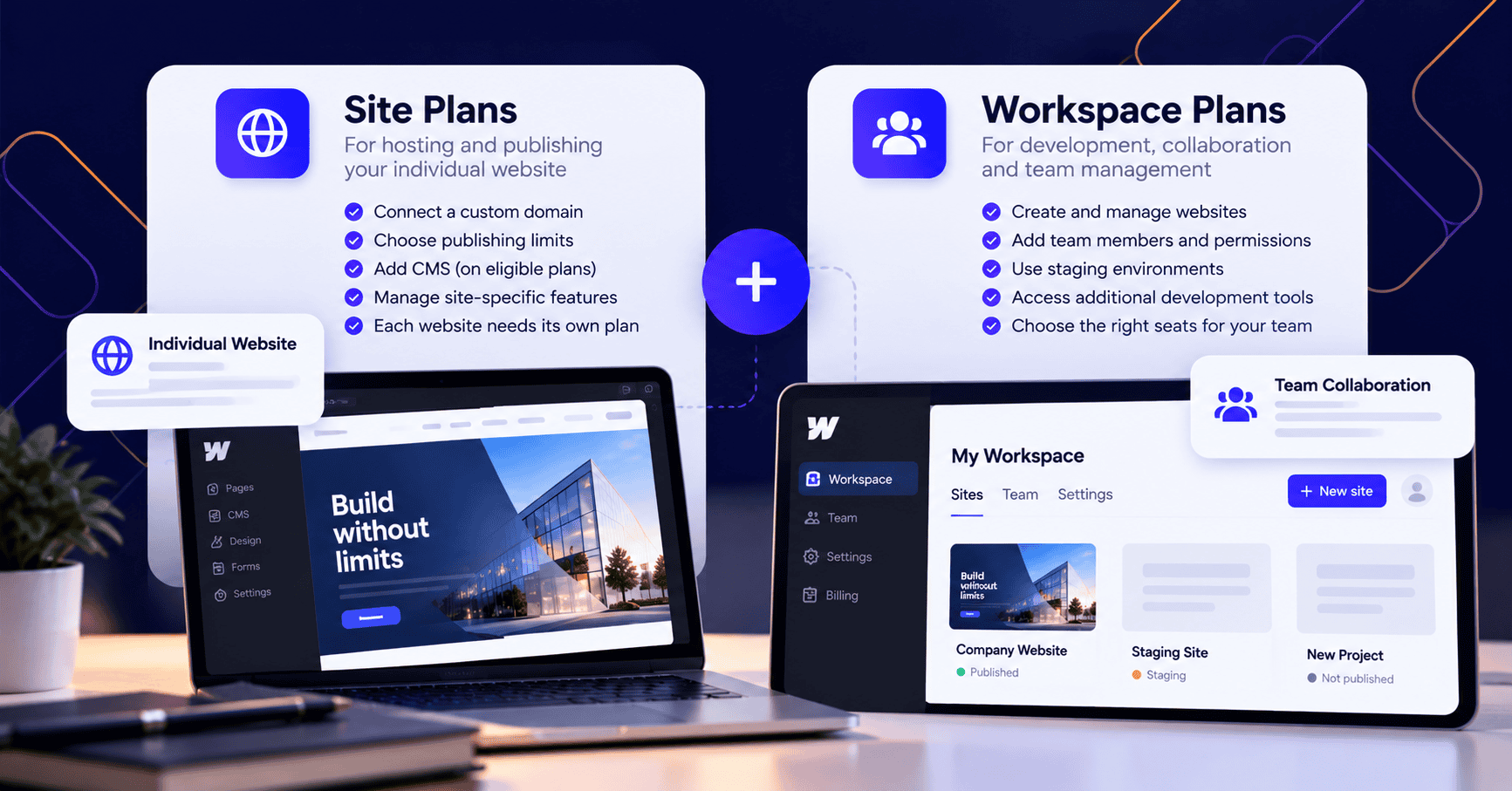
- Site plans pay for individual websites, while Workspace plans provide additional collaboration and development capabilities.
- Webflow eCommerce plans start at $29/month with annual billing, but transaction fees and payment processing can increase costs.
- Professional design, custom functionality, content creation, integrations, and ongoing updates can cost considerably more than the platform subscription.
- A realistic budget should account for the initial website build and recurring operating expenses over at least three years.
All Webflow subscription prices below are in USD and reflect publicly listed annual-billing rates reviewed in October 2026. Taxes, monthly billing rates, and optional add-ons may differ.
Webflow Pricing in 2026: How Much Does It Cost?
Webflow offers a free starting option and several paid subscriptions for different website requirements.
The most important distinction is that Webflow charges primarily according to the features your website requires, not simply the number of pages you want to create.
A five-page company website without a blog might work perfectly well on Basic. A similarly sized website with dynamically generated project pages, articles, and service listings may require Premium.
Webflow Site Plans Comparison
The following table summarizes Webflow’s current publicly advertised plans.
| Webflow Plan | Monthly Price (Billed Annually) | Best For |
| Starter | Free | Testing and experimenting |
| Basic | $15 | Simple business websites without CMS content |
| Premium | $25 | Blogs, portfolios, and content-driven websites |
| Team | $2,500 | Growing organizations requiring advanced collaboration |
| Enterprise | Custom quote | Organizations with complex technical and governance requirements |
These prices come from the official Webflow pricing page.
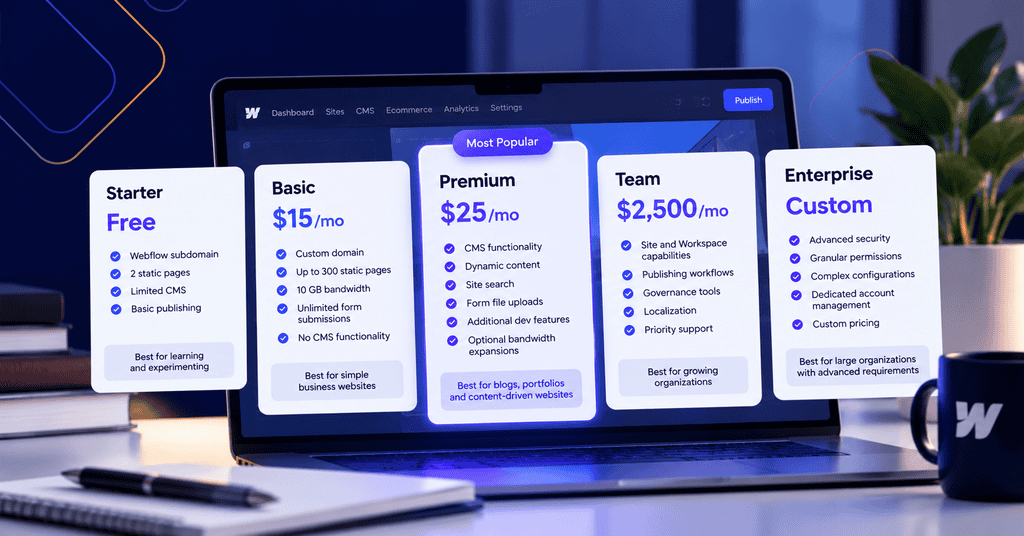
The Team plan requires an annual contract, while Enterprise pricing is negotiated according to organizational requirements.
Webflow Starter: Free
Webflow’s free Starter plan lets users explore the platform without paying for a subscription.
It includes a Webflow-branded subdomain, two static pages, limited CMS capabilities, and basic publishing resources.
This makes it useful for learning the visual designer, testing layouts, or building an early prototype.
However, a free Starter website cannot be published on your own custom domain.
For an established business, a branded domain is usually essential for professional communication, marketing, and customer trust.
Best for: Learning Webflow, testing design concepts, and evaluating the platform before purchasing hosting.
Webflow Basic: $15 per Month
Basic is the lowest-priced paid Site plan for publishing a conventional business website.
It includes custom domain publishing, up to 300 static pages, 10 GB of monthly bandwidth, and unlimited form submissions under the current published plan details.
The main restriction is the absence of Webflow CMS functionality.
For example, a small consulting company with a homepage, services page, about page, and contact page may not need dynamic content.
But if the company eventually wants a blog with reusable article templates, Basic becomes limiting.
Best for: Small businesses, simple marketing websites, and organizations that rarely publish new content.
Webflow Premium: $25 per Month
Premium is intended for websites that need structured, dynamically managed content.
Webflow introduced this plan in May 2026 by combining its previous CMS and Business offerings.
According to Webflow’s explanation of its 2026 pricing changes, the updated plans began rolling out on May 13, 2026, with different transition dates for existing customers.
Premium supports CMS-driven content, site search, form file uploads, and additional development capabilities.
This makes it more suitable for websites containing:
- Blog posts managed through reusable templates
- Team member profiles
- Case studies and project portfolios
- Dynamic location or service pages
- Frequently updated resources
Premium also offers optional bandwidth expansions when a website requires more capacity.
Best for: Business websites with ongoing publishing needs, structured content, and room for expansion.
Webflow Team and Enterprise
Webflow’s higher-level plans target organizations with more demanding operational requirements.
The Team plan starts at $2,500 per month with an annual contract. It combines site and Workspace capabilities with features such as publishing workflows, governance tools, localization, and priority support.
Webflow Enterprise uses custom pricing for organizations needing more extensive configurations, granular permissions, advanced integrations, and dedicated account management.
These plans aren’t necessary simply because a company has several employees or operates a medium-sized business.
A company with a modest marketing website may be well served by Premium, even when it has a substantial workforce.
Enterprise requirements usually become relevant when multiple departments, complex approval processes, security requirements, or large-scale website operations must be coordinated.
Understanding Webflow Site Plans and Workspace Plans
One of the most confusing parts of Webflow pricing is that Site plans and Workspace plans are separate products.
Buying the wrong one can leave a business paying for features it doesn’t actually need.
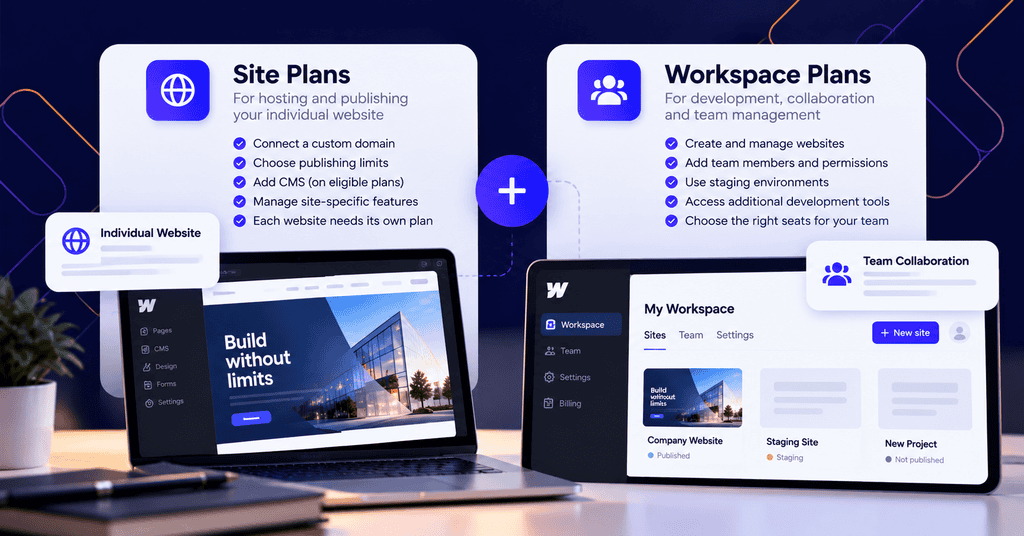
Site Plans Pay for Website Hosting and Publishing
A Site plan is attached to an individual website.
It determines whether the website can use a custom domain and which publishing, hosting, and CMS features are available.
If your business operates three separate websites, each requiring its own custom domain, each website generally needs its own paid Site plan.
A paid Workspace subscription does not replace these individual hosting subscriptions.
Workspace Plans Pay for Development and Collaboration
Workspace plans govern how websites are created, managed, and developed within a shared working environment.
Webflow currently advertises the following annual-billing rates:
| Workspace Plan | Monthly Price | Primary Purpose |
| Starter | Free | Individual development and basic staging |
| Core | $19 | Additional staging and development tools |
| Growth | $49 | Expanded staging and team management |
Additional seats can increase the bill.
Webflow lists full seats at $39 per month and limited seats at $15 per month with annual billing. Free reviewer access is also available.
A small business owner who only needs to update an existing website may not require the same access as a designer responsible for changing layouts.
Before purchasing extra seats, determine which employees need design access, which only edit content, and which simply review changes.
Webflow’s Site plan and Workspace plan documentation explains how these subscriptions work together.
Can You Use Webflow Without Paying for Both?
Yes.
A business can use a free Workspace with a paid Site plan if it doesn’t need the additional capabilities of a paid Workspace.
Consider a hypothetical professional services company that needs a website with a blog but has only one person responsible for editing content.
A Premium Site plan and free Workspace may cover its needs.
If the business later hires an internal design team, introduces more staging environments, or requires advanced collaboration, a paid Workspace may become useful.
The important lesson is to purchase Workspace features based on operational requirements, not merely because you’re launching a paid website.
Hidden Webflow Costs Beyond Your Subscription
The advertised plan is only one part of the total Webflow cost.
Some additional expenses are optional. Others depend on what your website needs to accomplish.
Understanding these differences helps avoid underestimating the amount required to operate a website.
1. Domain Registration and Renewal
Paid Webflow Site plans allow custom domain connections, but registering and renewing your domain is a separate expense.
For budgeting purposes, a common domain might cost approximately $15 to $30 annually, depending on the extension and registrar.
Premium domain names can cost significantly more.
Canadian businesses may also consider a .ca domain, particularly when their customers are primarily located in Canada.
Domain pricing should be reviewed separately from Webflow hosting.
2. Templates and Custom Website Design
Webflow offers templates that can reduce the amount of design work required.
Some are free, while paid templates have their own purchase prices.
However, purchasing a template doesn’t automatically produce a finished business website.
You’ll still need to adapt it to your branding, replace demonstration content, configure mobile layouts, and test its functionality.
More importantly, templates may contain pages or features that your business doesn’t need while omitting important content structures.
A professional responsive web design project may require additional planning around navigation, mobile usability, lead generation, and customer journeys.
For example, an accounting firm might need service-specific contact forms, clear trust signals, staff profiles, and conversion paths tailored to prospective clients.
Those requirements should determine the website structure before selecting a template.
3. Apps, Integrations, and Additional Services
Businesses frequently rely on software beyond their website builder.
Examples include:
- Appointment scheduling tools
- Customer relationship management software
- Email marketing platforms
- Advanced forms and automation
- Analytics and reporting services
- Consent management tools
- Membership or customer portal systems
Not every integration requires an additional paid subscription.
However, third-party services may charge separately, and connecting them can involve development work.
A booking tool that costs $20 per month adds $240 to annual operating expenses before any setup or customization charges.
For a business using several integrations, these small subscriptions can accumulate.
4. Bandwidth and Growing Website Traffic
Webflow hosting plans include different bandwidth allowances.
Bandwidth measures the amount of data transferred when people access website content.
Large videos, high-resolution images, and frequently accessed pages can increase usage.
Premium customers can purchase additional bandwidth, and the available options vary by capacity.
As a practical example, a business publishing image-heavy project galleries should monitor bandwidth consumption rather than estimate requirements from visitor counts alone.
Traffic volume matters, but so does the size of the resources delivered to each visitor.
Webflow also documents circumstances in which sustained usage above plan limits can trigger plan changes.
This means a website’s hosting cost may grow as its traffic and content demands increase.
5. Webflow eCommerce Pricing and Transaction Fees
Webflow offers separate plans for businesses selling products online.
| eCommerce Plan | Monthly Price (Annual Billing) | Listed Product Limit | Webflow Transaction Fee |
| Standard | $29 | 500 | 2% |
| Plus | $74 | 5,000 | 0% |
| Advanced | $212 | 15,000 | 0% |
Payment processing fees can still apply, including on plans with no Webflow transaction fee.
For stores with substantial sales volume, transaction costs may have a larger financial impact than the monthly subscription.
Consider a hypothetical store generating $10,000 in monthly sales.
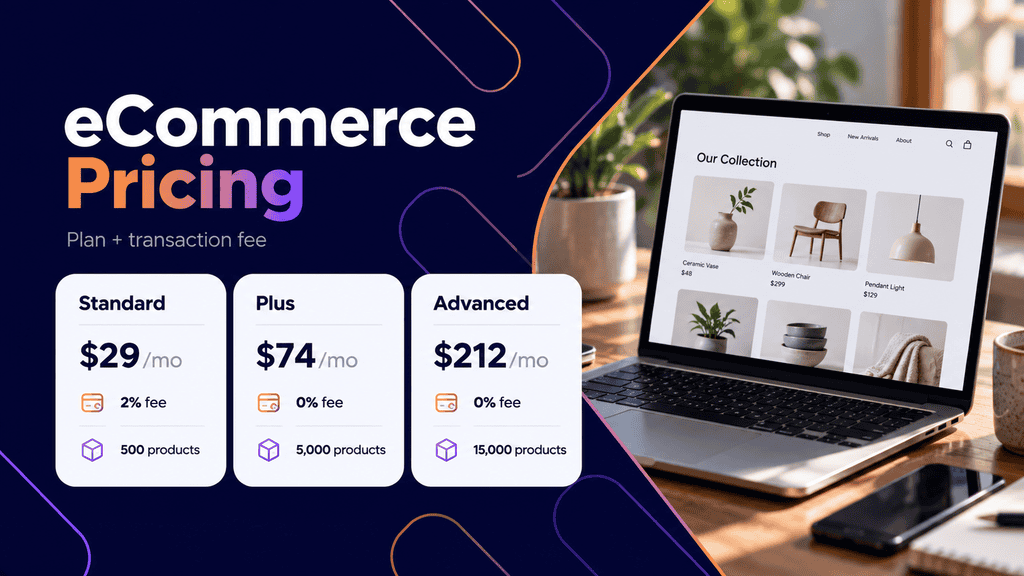
A 2% Webflow transaction fee would equal $200 before payment processor charges, assuming all that revenue is subject to the fee.
That doesn’t automatically mean the Plus plan is always the better choice. Businesses must consider product limits, required features, processing costs, and the complete subscription difference.
The same principle applies when evaluating eCommerce website development across different platforms. Checkout requirements, inventory management, shipping, and payment integrations can significantly affect the overall budget.
6. Localization, Analytics, and Optimization
Businesses requiring multilingual content or more advanced website measurement may need additional capabilities.
Webflow offers products such as Localize, Analyze, and Optimize, with availability and billing depending on the selected configuration.
For a Canadian company serving both English-speaking and French-speaking audiences, localization requirements can extend beyond translating a few pages.
Navigation, CMS entries, metadata, forms, and ongoing content updates may also need localized versions.
Before purchasing localization features, estimate how many languages and pages you need, who will maintain translations, and how often content changes.
7. Maintenance and Ongoing Website Improvements
Webflow provides managed hosting infrastructure, but that doesn’t eliminate every maintenance responsibility.
Businesses still need to review content, test forms, update integrations, check links, and assess whether important pages continue to work correctly.
For example, a website form might technically submit successfully while failing to deliver leads to the intended CRM.
Similarly, updating a third-party scheduling service may require changes to an embedded booking component.
A clear website maintenance and support agreement helps establish who is responsible for monitoring, troubleshooting, content changes, and responding when something stops working.
These responsibilities should be included when estimating long-term website costs.
What Does a Webflow Website Really Cost?
A realistic Webflow website cost combines one-time development expenses with recurring platform and operational charges.
The following examples are hypothetical planning scenarios, not Webflow package prices or quotes from a particular agency.
Actual development costs depend on the project’s scope, design complexity, content requirements, integrations, and the rates of the professionals involved.
Example 1: Small Business Website
Consider a local consulting business launching a five-page website.
The project includes a homepage, services page, about page, testimonials page, and contact page.
The business doesn’t require a blog or dynamically generated content.
An illustrative first-year budget might look like this:
| Expense | Estimated Cost (USD) |
| Webflow Basic, annual billing | $180 |
| Domain registration | $20 |
| Template purchase | $80 |
| Professional customization | $1,500 |
| Additional integrations | $120 |
| Estimated first-year total | $1,900 |
This assumes the business provides its own written content and only needs relatively straightforward customization.
A fully custom visual design, professional copywriting, extensive revisions, or complex integrations would increase the project cost.
The following year could be substantially cheaper if the website requires minimal changes.
However, the business should still reserve funds for updates and troubleshooting.
Example 2: Content-Focused Business Website
Now consider a professional services company planning to publish articles, client resources, team profiles, and detailed service information.
A CMS-driven website makes it easier to maintain reusable templates for these different content types.
A hypothetical first-year budget could include:
| Expense | Estimated Cost (USD) |
| Webflow Premium, annual billing | $300 |
| Domain registration | $20 |
| Custom website design and development | $4,000 |
| Initial content preparation | $800 |
| Integrations and configuration | $400 |
| Estimated first-year total | $5,520 |
The Webflow subscription represents a relatively small percentage of the total investment.
Most of the initial cost comes from planning, building, and preparing a website that supports the company’s business goals.
This distinction matters when comparing Webflow with alternative platforms. A cheaper subscription doesn’t necessarily mean a cheaper completed website.
Example 3: Three-Year Webflow Website Budget
A first-year estimate is useful, but a three-year view gives businesses a clearer picture of the financial commitment.
Suppose the content-focused website above has the following future expenses.
| Cost Category | Year 1 | Year 2 | Year 3 |
| Webflow Premium | $300 | $300 | $300 |
| Domain | $20 | $20 | $20 |
| Initial development | $4,000 | $0 | $0 |
| Initial content | $800 | $0 | $0 |
| Initial integrations | $400 | $0 | $0 |
| Ongoing content and maintenance | $0 | $1,200 | $1,200 |
| Annual Total | $5,520 | $1,520 | $1,520 |
Estimated three-year total: $8,560 USD.
This scenario assumes subscriptions remain unchanged, the company stays on Premium, and no major redesign or substantial functionality expansion is required.
It also excludes taxes and any additional fees not included in the example.
The lesson is that hosting is a predictable expense, while development and ongoing website work can vary considerably.
How to Estimate Your Own Webflow Budget
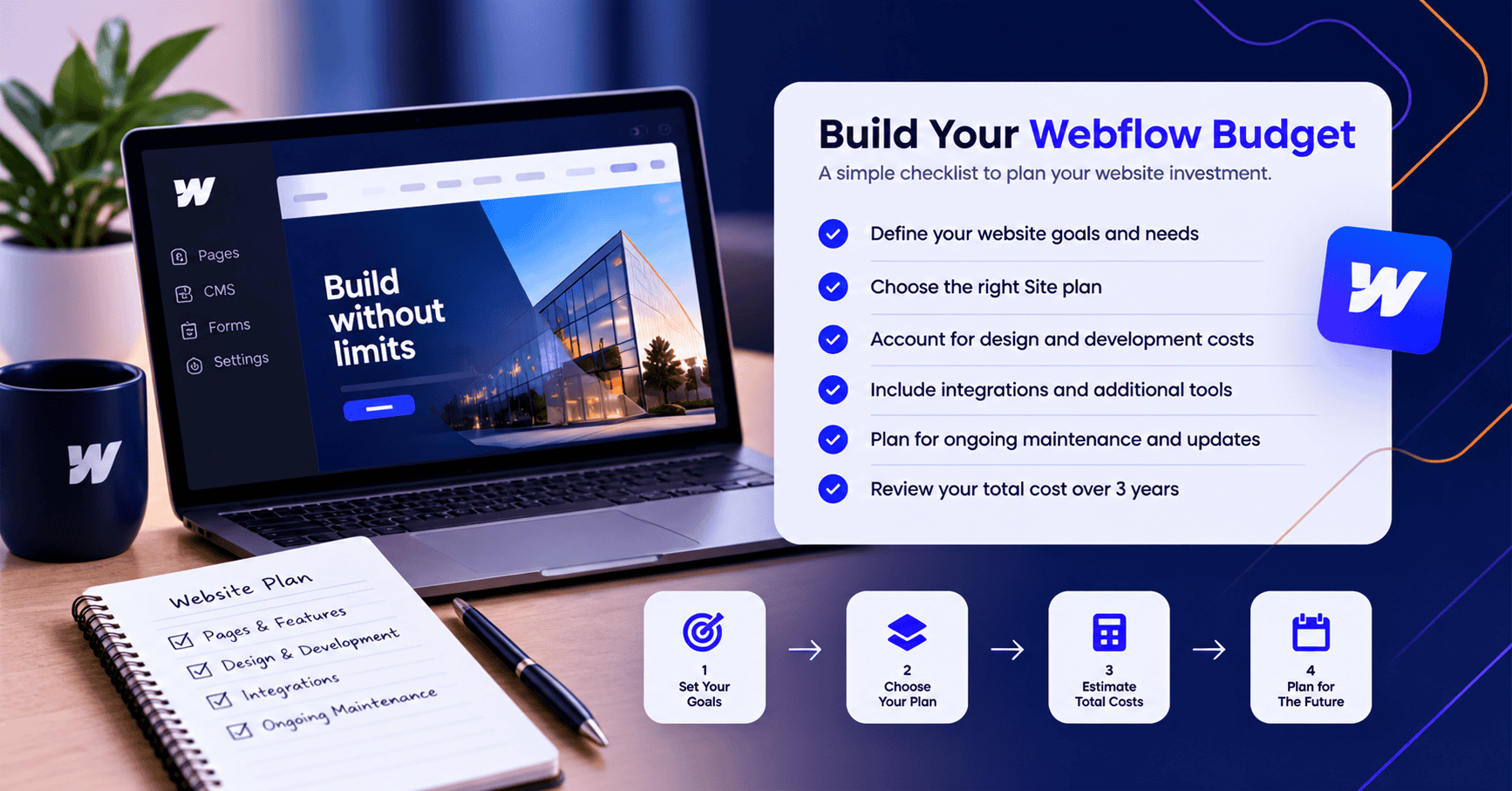
Before purchasing a subscription or requesting proposals, work through this checklist.
- List the pages you need at launch. Separate ordinary pages from content types that would benefit from CMS templates.
- Identify website functionality. Note booking systems, payment processing, forms, CRM connections, and other integrations.
- Determine who will build the website. Compare an internal build, template customization, freelance development, and professional agency work.
- Choose the appropriate Site plan. Avoid paying for Premium if a simple static website meets your requirements.
- Review collaboration needs. Count the people who need design, content editing, or review access before purchasing Workspace seats.
- Estimate recurring services. Include domains, integrations, maintenance, localization, and other required tools.
- Include future changes. Allow for additional pages, content updates, bandwidth growth, and new functionality.
- Calculate a three-year total. Compare the complete ownership cost rather than focusing on the advertised monthly price.
This exercise also gives web designers and agencies a clearer scope when preparing proposals.
Is Webflow Worth the Cost Compared to WordPress?
Webflow can be worth its subscription cost for businesses that value visual design control, integrated hosting, and a structured editing experience.
However, it isn’t automatically the least expensive or most suitable platform for every website.
WordPress offers a different approach to website development and ownership.
Webflow vs. WordPress Cost Comparison
| Consideration | Webflow | WordPress |
| Software | Proprietary hosted platform | Open-source CMS |
| Hosting | Included with paid Site plans | Purchased separately |
| Design tools | Integrated visual designer | Themes, block editor, and optional builders |
| CMS | Available on eligible plans | Core platform functionality |
| Plugins and integrations | Native features and external services | Extensive plugin ecosystem |
| Maintenance | Managed hosting, but site upkeep remains | Hosting and software maintenance depend on setup |
| Pricing model | Platform subscriptions plus additional services | Hosting, development, plugins, and support |
| Portability | Export limitations for dynamic functionality | Greater flexibility across compatible hosting providers |
WordPress software itself is free, but that doesn’t mean a professional WordPress website is free.
Hosting, development, plugins, maintenance, and support can all introduce expenses.
Businesses considering custom integrations, membership functionality, or complex content structures may want to explore WordPress development options before deciding which platform offers better long-term value.
When Webflow Can Be a Good Investment
Webflow often makes financial sense when design consistency and relatively straightforward website management are priorities.
For example, a creative agency might want a visually distinctive portfolio, reusable case-study templates, and the ability to update projects without managing separate hosting infrastructure.
A Webflow Premium website could satisfy those requirements without a complicated technology stack.
Webflow can also work well for marketing teams that frequently revise landing-page layouts or manage structured website content.
The value depends on whether those capabilities reduce the amount of external development work the business needs.
When WordPress May Be More Cost-Effective
WordPress becomes attractive when a company values broad hosting choices, access to a large plugin ecosystem, or greater flexibility over its website infrastructure.
For instance, a business planning a membership system, extensive custom functionality, or a complicated online store may benefit from the range of solutions available in WordPress.
That flexibility introduces additional responsibilities.
Plugins may need updates, hosting performance must be managed, and compatibility issues sometimes require technical assistance.
A WordPress website with numerous premium extensions can become more expensive than a relatively simple Webflow site.
Comparing platforms only by monthly hosting charges ignores these differences.
Website Portability Is Also a Cost Consideration
Businesses sometimes overlook the future cost of switching platforms.
Webflow allows code export under eligible Workspace plans, but its export capability doesn’t provide a complete portable replacement for all hosted functionality.
Dynamic CMS content, forms, and other platform-dependent features may require separate handling or rebuilding.
WordPress generally provides more hosting flexibility, although migrating a complex WordPress website can still involve substantial work.
For businesses expecting to change platforms, the potential migration cost deserves attention during the initial planning stage.
Before committing to either platform, ask what happens to content, templates, forms, integrations, and customer data if you eventually need to move.
The answer may be more important than saving a few dollars each month.
How to Choose the Right Webflow Budget
The most useful way to evaluate Webflow pricing is to separate what the platform charges from what your business needs to build and operate a successful website.
A simple brochure website may need little more than Basic hosting and occasional updates. A content-heavy marketing website may benefit from Premium, while an eCommerce operation or larger organization requires a more detailed cost assessment.
Start by defining your website requirements, selecting the lowest appropriate plan, and calculating the cost of development, integrations, content, and maintenance over three years.
That approach gives you a more meaningful comparison between Webflow and other website platforms, and helps you invest in functionality your business will actually use.
FAQs
Is Webflow free in 2026?
Yes. Webflow offers a free Starter plan for learning and experimenting with the platform. However, publishing a business website on a custom domain requires a paid Site plan.
How much does Webflow cost per month?
Webflow’s Basic Site plan starts at $15 per month, and Premium starts at $25 per month when billed annually. eCommerce plans start at $29 per month under annual billing. Additional Workspace, seat, and integration charges may apply.
Does Webflow pricing include hosting?
Yes. Paid Webflow Site plans include managed hosting for the associated website. Domain registration, some integrations, and professional website services are separate expenses.
Is Webflow expensive for small businesses?
Not necessarily. A small website without CMS requirements may only need the Basic subscription. The total investment becomes higher when professional design, content creation, integrations, and ongoing support are required.
What is the difference between Webflow Basic and Premium?
Basic is intended for websites that don’t need a CMS, while Premium supports dynamic content such as blog posts, portfolios, and reusable collection-based pages. Premium also provides additional capabilities for content-rich websites. Businesses should choose based on functionality rather than page count alone.
How much does Webflow Enterprise cost?
Webflow Enterprise uses custom pricing based on an organization’s requirements. Businesses generally need to contact Webflow’s sales team for a proposal covering technical needs, governance, security, support, and other enterprise capabilities.
Can I move my Webflow website to WordPress?
Yes, but moving a Webflow website to WordPress generally involves more than transferring a few files. Pages, CMS content, templates, forms, and integrations may need to be recreated or migrated using separate tools. The effort depends on the size and functionality of the original website.
