

A website project can go off track long before anyone chooses colours, layouts, or WordPress plugins. The problems usually start with unanswered decisions about goals, customers, content, search visibility, and ownership.
For Calgary businesses, answering the right questions before website project work begins gives designers and developers a much clearer brief. It also helps prevent late scope changes, missing pages, rushed content, and a website that looks finished but does not support the business behind it.
Key takeaways
- Define measurable business outcomes before discussing visual design.
- Map the website around customer decisions, not your internal company structure.
- Plan important pages and SEO requirements before design work locks in the site architecture.
- Identify integrations, forms, eCommerce requirements, accessibility needs, and performance expectations during scoping.
- Decide who supplies content, approves work, owns accounts, and maintains the site after launch.
- Treat website planning in Calgary as a business planning exercise, not simply a design exercise.
1. What should the website actually accomplish?
“Build us a better website” is not a usable project goal.
Better could mean a cleaner design, more qualified inquiries, easier content management, stronger organic search visibility, faster pages, fewer support requests, online sales, or a clearer explanation of complicated services. Those outcomes can require very different websites.
Before building a website, identify the two or three jobs that matter most.
For example, a Calgary professional services firm might decide that its new site must:
- Make its main services understandable within a few minutes.
- Generate consultation requests from people who fit its target customer profile.
- Create dedicated pages for services that customers actively search for.
- Allow staff to publish articles without asking a developer to edit every page.
- Replace an outdated website without losing useful existing URLs and search visibility.
That is far more useful to a web team than instructions such as “make it modern.”

Separate business goals from website features
A feature is something the website has. A goal is the reason it exists.
“Add an online booking calendar” is a feature. “Reduce the number of phone calls required to schedule consultations” is a goal.
“Create service pages” is a feature. “Help people understand the difference between our three service packages before requesting a quote” is a goal.
This distinction matters because features should be judged against the outcome they support. Otherwise, websites accumulate sliders, animations, chat widgets, popups, integrations, and page sections because someone likes them rather than because users need them.
A structured Calgary web design process should resolve requirements, content needs, and functionality before development begins. Doing that early gives the design team a clearer problem to solve instead of forcing major business decisions into later project stages.
Decide how success will be evaluated
You do not need ambitious forecasts before a redesign. You do need to know what evidence you will look at later.
Depending on the business, useful indicators could include:
| Website goal | What you could review after launch |
| Generate more qualified leads | Form submissions, calls, booked consultations, lead quality |
| Improve search visibility | Google Search Console impressions, clicks, indexed pages, query coverage |
| Make services easier to understand | Engagement with key service pages, common sales questions, user feedback |
| Improve online sales | Product views, checkout progression, completed purchases |
| Reduce admin work | Online bookings, automated form routing, fewer repetitive inquiries |
| Improve website management | Time required to publish or update content |
Metrics should support the goal, not replace it. A site can receive more traffic without generating better business opportunities.
2. Who needs to use the website, and what are they trying to do?
A common planning mistake is organising the website around the company rather than around the visitor.
A business may internally think in terms of departments, divisions, product lines, and internal terminology. Customers often arrive with much simpler questions:
“What does this company do?”
“Can they solve my problem?”
“Do they work in Calgary?”
“How much will this involve?”
“Can I trust them?”
“What should I do next?”
Your navigation and page structure should help answer those questions without making visitors understand your organisation first.
Map real customer paths
Pick three to five realistic visitor types and write down what each person is likely to need.
Consider a hypothetical Calgary commercial contractor. Its website might serve:
- A property manager who already knows the service required and wants to request a quote.
- A business owner comparing several contractors and looking for project examples.
- A facilities manager checking whether the company serves a particular part of Calgary or the surrounding area.
- A job candidate trying to understand the company and find available positions.
Those visitors should not all be forced through the same homepage journey.
One person may need a specific service page followed by a quote form. Another may want project evidence first. A third may need service-area information before going any further.
This is also why responsive web design should be considered during planning rather than treated as a final technical adjustment. Navigation, forms, content order, and calls to action need to remain usable when a desktop layout becomes a much narrower mobile interface.
Think about Calgary search behaviour without building doorway pages
Local relevance deserves more thought than inserting “Calgary” repeatedly into headings.
A local business should clarify where and how it serves customers. A company with a physical office may have different location needs from a contractor, mobile professional, or another service-area business that travels to customers.
Google distinguishes between storefront, hybrid, and service-area businesses. Its Business Profile guidelines also say businesses should represent their real-world location or service area accurately. Google’s guidelines for representing a business explain how these business types should be handled.

That can affect website planning.
Suppose a business works throughout Calgary and also accepts projects in Airdrie, Cochrane, and Okotoks. It does not automatically need four nearly identical pages with the municipality name swapped out. First determine whether each location has enough genuinely distinct customer information, services, proof, and search intent to justify a dedicated page.
Sometimes one strong service-area section is clearer. Sometimes dedicated location pages make sense. The decision should come from how the business operates and what users need, not from a desire to manufacture more URLs.
Include accessibility in the user discussion
Planning for users also means considering people who navigate differently.
The Web Accessibility Initiative recommends clear and consistent navigation, identifiable interactive elements, labelled form controls, visible keyboard focus, and layouts that adapt to different viewport sizes. W3C’s web accessibility design guidance provides practical examples of these considerations.
Accessibility should therefore influence the original design system, navigation, forms, colours, interactions, and content structure. Treating it as a final plugin installation can leave fundamental design problems unresolved.
3. What pages, content, and search visibility will the site need?
Content planning should not begin after the website design is approved.
Design decisions depend on the amount and type of content a page must support. A service page with 200 words, one image, and a contact button needs a different structure from a page containing service options, FAQs, project examples, comparison information, and multiple conversion points.
This is also where website planning Calgary businesses often need to connect web design with SEO.
Build the page inventory before the wireframes
Start with a simple spreadsheet.
For every proposed URL, record:
| Proposed page | Primary purpose | Main audience | Desired action | Existing content? | SEO priority? |
| Homepage | Introduce business and direct visitors | Mixed | Choose next step | Yes | High |
| Service A | Explain one core service | Prospects | Request consultation | Partial | High |
| Service B | Explain another service | Prospects | Request quote | No | High |
| About | Establish company context and trust | Prospects, recruits | Explore team or services | Yes | Medium |
| Contact | Give clear contact options | High-intent visitors | Call, email, submit form | Yes | Medium |
| Resources | Organise educational content | Research-stage visitors | Read related content | Mixed | Medium |
This exercise exposes problems early.
You may discover that five proposed pages all describe essentially the same service. You may realise an important revenue-generating service has no dedicated page. You may also find that the old website contains useful pages nobody included in the redesign brief.

Do not let a redesign erase valuable URLs
A redesign is not automatically a fresh start from an SEO perspective.
Before changing the site structure, inventory existing URLs. Identify pages receiving organic traffic, pages with external links, indexed service pages, useful articles, and URLs that other parts of the site link to.
If an old URL is being retired and there is a relevant replacement, plan the redirect during the project rather than discovering broken links after launch.
Google recommends using crawlable links and descriptive anchor text so users and Google can understand where a link leads. It also recommends linking important pages from other relevant pages on the site. Google Search Central’s link best practices explain these principles in more detail.
For projects where organic search matters, SEO therefore belongs in information architecture discussions. It should not be a checklist added the day before launch.
Businesses that want search strategy included alongside the rebuild can review Clio Websites’ Calgary SEO services. Even when SEO is handled internally, page targeting, URL structure, metadata responsibilities, redirects, and internal linking should still be decided during planning rather than after development.
Clarify who is writing the content
Content delays can stop a website project faster than development issues.
Before kickoff, decide:
- Which existing copy can remain with minor edits?
- Which pages require completely new content?
- Who will interview internal subject matter experts?
- Who supplies project photos, staff photos, logos, certifications, and other proof?
- Who reviews technical claims?
- Who gives final approval?
- When must content be ready relative to design and development?
“Client will provide copy” sounds simple in a proposal. In practice, it can mean ten busy employees trying to write pages during the final week before launch.
Set content responsibilities and deadlines before design begins.
4. What functionality and technical requirements belong in the scope?
Two 15-page websites can involve completely different amounts of work.
One may contain standard informational pages and a contact form. Another may require appointment scheduling, CRM integration, gated downloads, multilingual content, payment processing, custom search, customer accounts, dynamic listings, and several third-party systems.
Page count alone does not define scope.
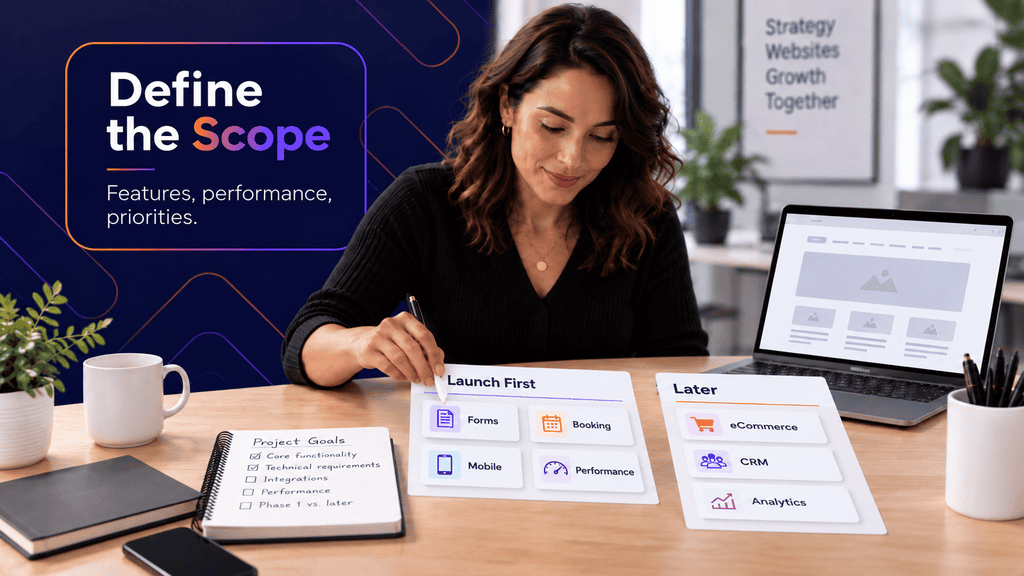
Create a functional requirements list
Write down what the website needs to do, not just what it should look like.
For a typical business site, questions may include:
- What forms are required, and where should submissions go?
- Does the site need to connect with HubSpot, Salesforce, Mailchimp, or another CRM or marketing platform?
- Are appointments booked through the site or through an external system?
- Will staff need reusable page templates or custom content types?
- Will the website sell products or accept payments?
- Does the site require member accounts or restricted content?
- Are there existing analytics, advertising pixels, call tracking tools, or conversion events that must survive the migration?
Every “yes” can affect design, development, testing, privacy considerations, and ongoing maintenance.
For businesses that want an editable content management system, WordPress development can support reusable templates, content publishing, integrations, and custom functionality. The implementation should still be planned around what staff need to update and how the website will be maintained after launch.
Define performance expectations before the site is built
Performance problems are harder to correct when they come from design choices made months earlier.
Large background videos, oversized images, multiple web fonts, animation libraries, advertising scripts, chat systems, tracking tools, and heavy page-builder sections can all add work for the browser.
Google describes Core Web Vitals as metrics for loading performance, responsiveness, and visual stability. It also recommends considering page experience as a broader set of signals rather than relying on a single score. Google Search Central’s Core Web Vitals documentation provides the current technical guidance.
For project planning, that means setting sensible expectations such as:
- Hero images will be compressed and appropriately sized.
- Mobile layouts will be designed deliberately rather than treated as an afterthought.
- Third-party scripts will be reviewed before installation.
- Performance will be tested on representative templates, not only the homepage.
- Features with a significant performance cost must justify the value they provide.
Decide what belongs in phase one
Not every useful idea needs to be part of the initial launch.
A business may eventually want a resource library, advanced calculator, client portal, multilingual site, and automated lead routing. Building all of it at once can add cost and make the core website harder to finish.
Sort requirements into three groups:
- Required for launch: The website cannot achieve its main purpose without it.
- Useful soon after launch: Valuable, but the business can operate without it temporarily.
- Future option: Worth preserving room for, but not worth delaying the current project.
This is one of the simplest ways to control scope without discarding useful ideas.
5. Who will own the website after launch?
The fifth question is easy to postpone because it concerns work that happens after the exciting part of the project.
It should be answered before the contract is signed.
A website depends on domains, DNS, hosting, CMS accounts, premium software, analytics, Search Console, advertising platforms, email systems, backups, security tools, and sometimes third-party integrations. Someone needs to know who owns each account and who is responsible for it.
Use this pre-project ownership checklist
Before kickoff, record the following:
- Domain: Who is the registrant, and who controls the registrar account?
- Hosting: Who owns the hosting subscription and billing relationship?
- WordPress: Which people require administrator access?
- Premium plugins and themes: Who owns the licences, and what happens if the agency relationship ends?
- Analytics: Is the business the owner of its Google Analytics property?
- Search Console: Who has verified owner access?
- Google Business Profile: Which company accounts have owner or manager permissions?
- Advertising accounts: Does the business retain ownership of Google Ads and Meta assets?
- Backups and security: Who monitors them after launch?
- Content updates: Who is responsible for routine edits, new pages, staff changes, and publishing?
- Technical maintenance: Who applies CMS, plugin, theme, and server updates?
- Support: What happens when a form stops sending, a plugin conflicts, or the website goes offline?
These are operational questions, not administrative trivia.
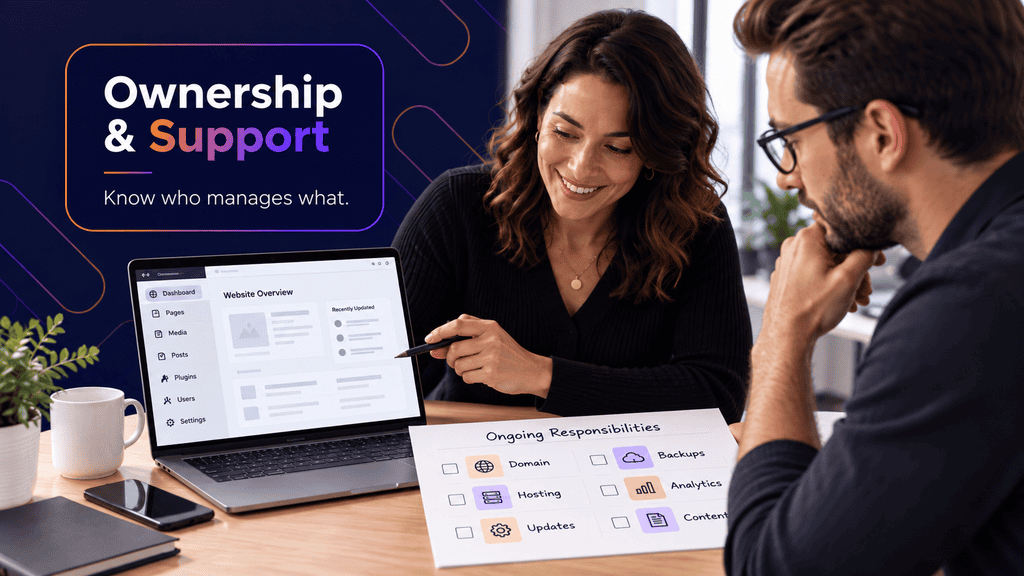
Decide between internal maintenance and managed support
Some businesses have someone internally who is comfortable handling WordPress updates, backups, content changes, and basic troubleshooting. Others would rather keep those responsibilities outside the company.
Neither model is automatically better.
Internal management can work well when the organisation has a clear site owner, documentation, technical confidence, and enough time to perform updates consistently.
Managed support becomes more useful when nobody internally wants responsibility for plugin compatibility, backups, security updates, monitoring, troubleshooting, or ongoing performance work. Businesses considering that model can review Clio Websites’ Calgary website maintenance services to see the types of ongoing tasks that can sit outside the initial website build.
A hypothetical Calgary redesign scenario
Consider a Calgary accounting firm preparing to replace a six-year-old WordPress site.
If the firm starts by asking for a “new professional design,” the project could quickly become a visual refresh of the same structure.
Answering the five planning questions changes the brief.
The firm might discover that its real priorities are generating consultations for two high-value services, reducing confusion about who each service is for, preserving several existing pages that already receive search impressions, and allowing staff to publish tax updates without rebuilding page layouts.
That leads to practical decisions. The site needs distinct service pages, stronger conversion paths, a reusable article template, redirect planning, and ownership of analytics and WordPress access after launch.
The design still matters. It is simply working from a much better definition of the problem.
Turn the answers into a project brief
The most useful questions before website project work begins are not about fonts or homepage layouts. They establish what the website must accomplish, who it serves, what information it needs, what functionality belongs in scope, and who takes responsibility after launch.
Write those answers into a short project brief before requesting final estimates or approving design work. Even one or two pages of clear decisions can make the next conversations about your Calgary website far more productive and give the project a defined problem to solve.
FAQs
How far in advance should we plan a website project?
Start planning before you need the finished site. Content collection, stakeholder approvals, technical integrations, SEO review, and photography can all require work outside the design and development schedule. A project is easier to scope when these dependencies are identified before a launch date becomes urgent.
What should I prepare before meeting with a web designer?
Prepare your business goals, target customers, current website concerns, required functionality, examples of sites you like, existing brand assets, and a rough page list. You should also know who will approve decisions and who can provide access to existing website accounts.
Should SEO be planned before a website is built?
If organic search matters to the business, yes. Keyword intent, page architecture, URL decisions, internal linking, content, redirects, and technical crawlability can all be affected by early website decisions. Adding SEO only after development can require reworking pages that could have been structured correctly from the start.
Do I need all of my website copy finished before design starts?
Not necessarily, but you should know what each page needs to communicate and who will supply the final content. Wireframes built around realistic content are generally more useful than layouts filled with placeholder text that later has to accommodate twice as much material.
Should a Calgary business create pages for every nearby city it serves?
Only when each page has a useful purpose and enough distinct local information to justify its existence. A business serving Calgary and nearby communities should avoid producing nearly identical location pages simply by changing the place name.
Is WordPress a good choice for a business website?
WordPress can work well when a business wants an editable content management system, reusable page structures, publishing capabilities, and access to a broad development ecosystem. The right setup still depends on the site’s functionality, maintenance resources, security practices, integrations, and content workflow.
Who should own the domain and website accounts?
The business should have clear visibility into ownership and access for important assets such as the domain, hosting, analytics, Search Console, advertising accounts, and content management system. Clarify account ownership and handover procedures before development begins rather than waiting until the relationship changes.
